

Pico-Oled-Boot : OLED + Joystick + Bouton interface for Raspberry-Pi Pico
Oled Interface for Raspberry-Pi Pico
- OLED 128x64px
- 4 direction Joystick + Enter
- Start button
- User LEDs (Red, Green)
- A & B button (IRQ)
- 4 pins used (only)
- MicroPython ready

Payments are secured by LyraCollect, a French payment collection company.

It is possible to delivered to your home, to a pick-up point or picked up by appointment at MCHobby

We prepare, pack and ship your orders with great respect and care.
Add a ready to used "User Interface" to your project
This project had been in development for a long time. I wanted an affordable yet comprehensive controller capable of displaying a configuration menu, a monochrome game screen, and sensor data. I also wanted an user-friendly interface (a clickable joystick), two ready-to-use buttons, two user LEDs (red and green), and a Start button.
I also wanted to minimize the number of Pins required on the Pico to leave as many as possible available for your project. Therefore, the OLED screen, joystick, LEDs, and Start button are all accessible via the I2C bus (GP6=sda, GP7=scl).
Only buttons A and B are connected directly to the GPIO pins (GP3 and GP2), allowing the interrupt mechanism to be linked to these buttons. Breakable jumpers are also available to free up the GPIO pins.
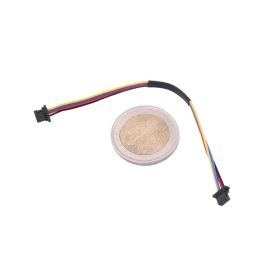
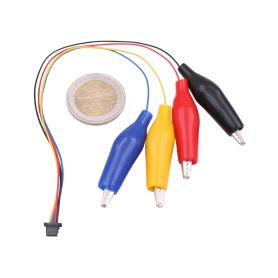
A Qwiic/StemmaQt connector is available underside the board for connecting I2C sensors and various I2C extensions (GP6=sda, GP7=scl). Expanding functionality is as easy as plug a cable between the board and a breakout board (using the same connectors).
Finally, an easily accessible Reset button lets you quickly reset/restart the Pico.
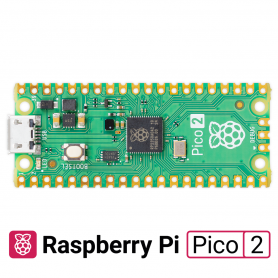
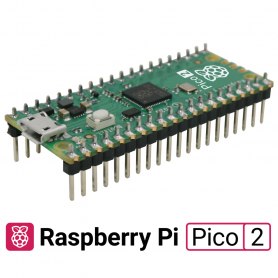
Compatible with all Pico boards, simply insert the Pico board into the designated connector and you're ready to prototype your first project.
You're not left to fend for yourself without a little help. A comprehensive MicroPython libraries, examples, and the schematic are all available to assist you.
The underside of the board also contains the necessary technical information for quick help.
MicroPython Ready
This MicroPython board has a very complete Open-Source library which you simply need to install on your MicroPython board from the pico-oled-boot repository.
The library... let's say the libraries... allow you to do:
- Text display, drawing primitive with FrameBuffer and the SH1106 driver
- Advanced rendering with FBGFX for MicroPython
- Icon drawing and Pixel-Art with FBGFX and PBM files and ClipReader to extract content.
- Menu rendering with micropython-oled-menu.
- RoboEyes display on the display.
- Support for many sensors.
Tutorial
- Pico-Oled-Boot library and examples (English/French, MCHobby GitHub)
- How to use the bootloader and autorun (French, blog MCHobby)
- All the references mentionned in the "MicroPython Ready" section.
- Interface : Connector
- PICO, Qwiic StemmaQT
- Interface : Bus
- I2C
- Interface : Logic
- 3V
- Library
- MicroPython